Is DN Viewer free — or is it paid software?
DN Viewer is free to download for Mac. Core DICOM viewing, DICOM server access, MPR, 3D rendering, and local file reading are all included at no cost — no registration required. It is a free native macOS DICOM viewer, not a time-limited trial.
What does DN Viewer for Mac include?
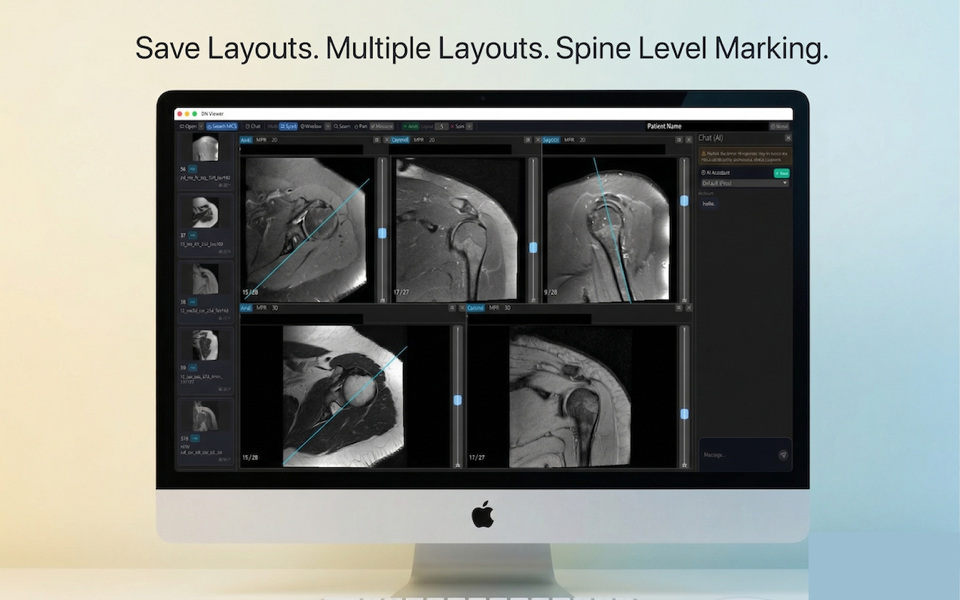
DN Viewer for Mac includes core DICOM viewing, MPR, 3D rendering, DICOM server access, AI-powered segmentation and volume calculation tools, and AI-assisted reporting in one native macOS app.
Which Mac models does DN Viewer support?
The current release runs natively on Apple Silicon Macs - M1, M2, M3, and M4 chips. An Intel Mac build is in active development and will be available soon.
What macOS version is required?
DN Viewer requires macOS 12 Monterey or later. On Apple Silicon Macs it runs fully natively.
Can I connect to a DICOM server or PACS from the Mac app?
Yes. DN Viewer includes built-in DICOM server connectivity (C-FIND / C-MOVE) so you can query and retrieve studies directly from your PACS or worklist without leaving the Mac app or opening a browser.
How is DN Viewer different from a web-based DICOM viewer?
DN Viewer is a native macOS application, not a browser-based viewer. That means faster image loading, no internet dependency for local files, no browser rendering overhead, and native macOS keyboard shortcuts and window management. MPR and 3D rendering run against the GPU directly.
Is there a Windows version of DN Viewer?
Yes. DN Viewer is also available for Windows. The same core workflow — DICOM server access, MPR, 3D rendering, AI-powered segmentation and volume calculation tools, and AI-assisted reporting — is available on Windows.
How does DN Viewer compare to OsiriX on Mac?
OsiriX Lite is free but limited to 2D viewing and is no longer actively maintained for modern macOS. DN Viewer adds near-instant MPR, 3D rendering, direct DICOM server access, and AI-powered segmentation tools, and runs natively on Apple Silicon (M1/M2/M3/M4) — without the limitations of the free OsiriX tier.
How does DN Viewer compare to Horos on Mac?
Horos is open-source and capable, but requires more setup and receives infrequent updates. DN Viewer is actively developed, installs in minutes from the Mac App Store, and includes AI-assisted reporting and built-in DICOM server connectivity out of the box — with no manual plugin configuration needed.
What are the system requirements for DN Viewer on Mac?
DN Viewer requires macOS 12 Monterey or later. The current release is optimised for Apple Silicon (M1, M2, M3, M4) and runs fully natively — no Rosetta required. An Intel Mac build is in development. At least 4 GB of RAM is recommended; 8 GB or more is ideal for large CT or MRI series with 3D rendering.
Can I view medical imaging data — CT scans, MRI, and X-rays — on my Mac?
Yes. DN Viewer opens CT scans, MRI studies, X-rays, ultrasound, PET, and other medical imaging data in DICOM format directly on your Mac. Drag and drop a DICOM folder or file and it opens immediately — no conversion, no upload, no browser required. It works with DICOM files from hospital CDs, USB drives, and PACS servers.
How do I open a DICOM file on my Mac?
Download DN Viewer from the Mac App Store (free). Once installed, drag your .dcm file or DICOM folder directly onto the app — it opens immediately. You can also use File → Open, or connect to a DICOM server to query and retrieve studies directly. No conversion or additional software needed.
Can I use DN Viewer as an MRI viewer on Mac?
Yes. DN Viewer works as a full MRI viewer on Mac. It reads MRI DICOM files from local folders, USB drives, hospital CDs, or directly from a PACS. The MRI layout memory feature automatically restores your reading protocol — pane layout, window levels, and series arrangement — each time you open a new study, so you don't have to rearrange anything.
Is DN Viewer an online or offline DICOM viewer for Mac?
DN Viewer is a native offline Mac app — not a browser-based or online DICOM viewer. Your local DICOM files open without any internet connection. You can also connect to a remote DICOM server or PACS when online, but the core viewer works entirely offline. This means faster image loading, no browser tab overhead, and no dependency on upload speeds for large CT or MRI series.